
 Lambogenius
Everything at the admin address
Open http://<admin.listen>/. When listen isn't a loopback address, the console needs a way in: people sign in with single sign-on or a password, and scripts use API tokens. What each person sees and may do depends on their role. See Console users and roles. The page refreshes every few seconds.
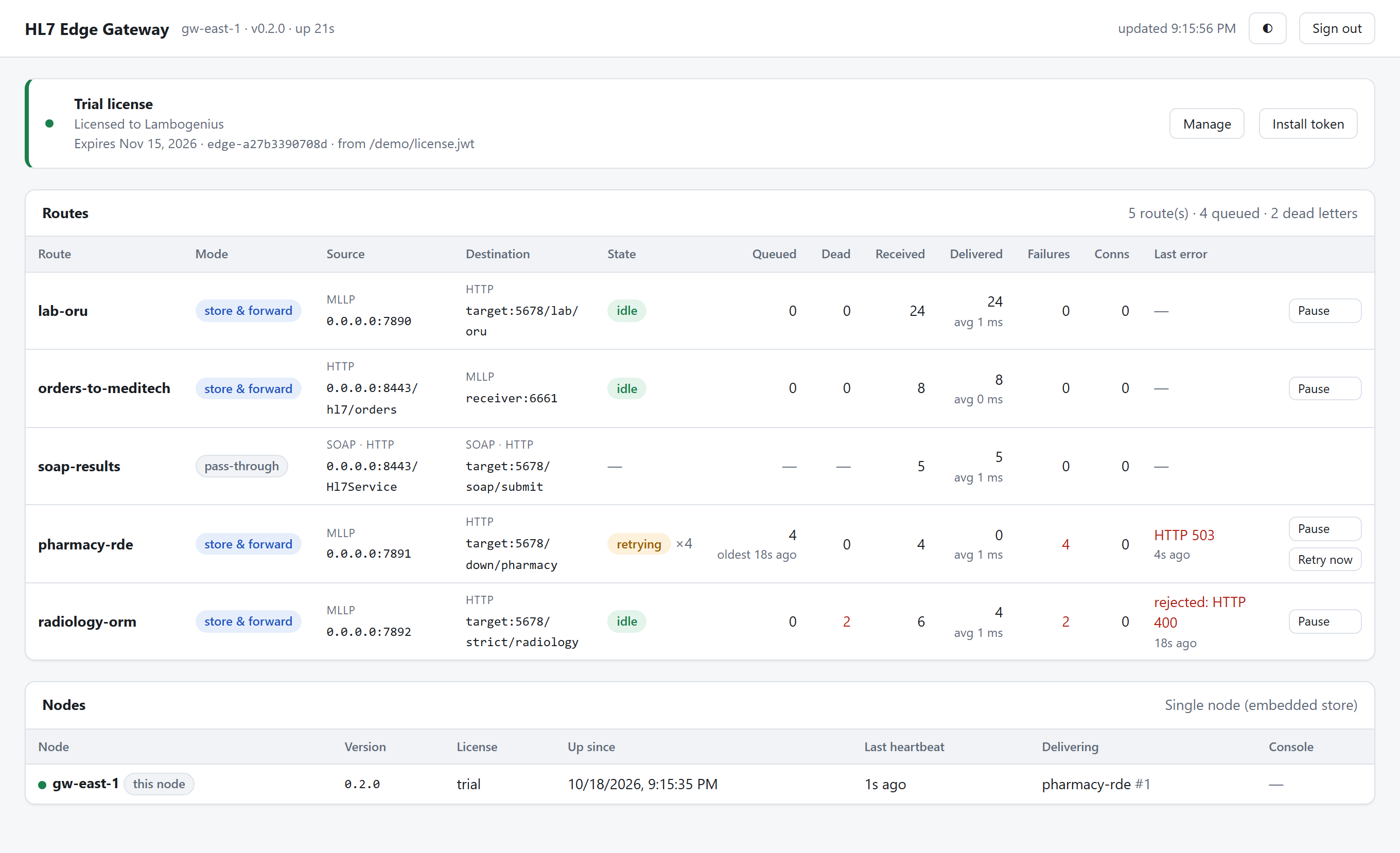
- License: edition, organization and expiry, with Install token.
- Routes: each route's source and destination, queue depth, dead letters, counters and last error, with pause, resume and Retry now.
- Queues and dead letters: browse them, move a message to dead letters, requeue or delete it.
- Filter tester: paste messages and see which destinations of a route would get them, or try a filter of your own, condition by condition. See Check a filter.
- Transform tester: paste messages and see what a destination's transform would send it, with the HL7 changes marked. See Check a transform.
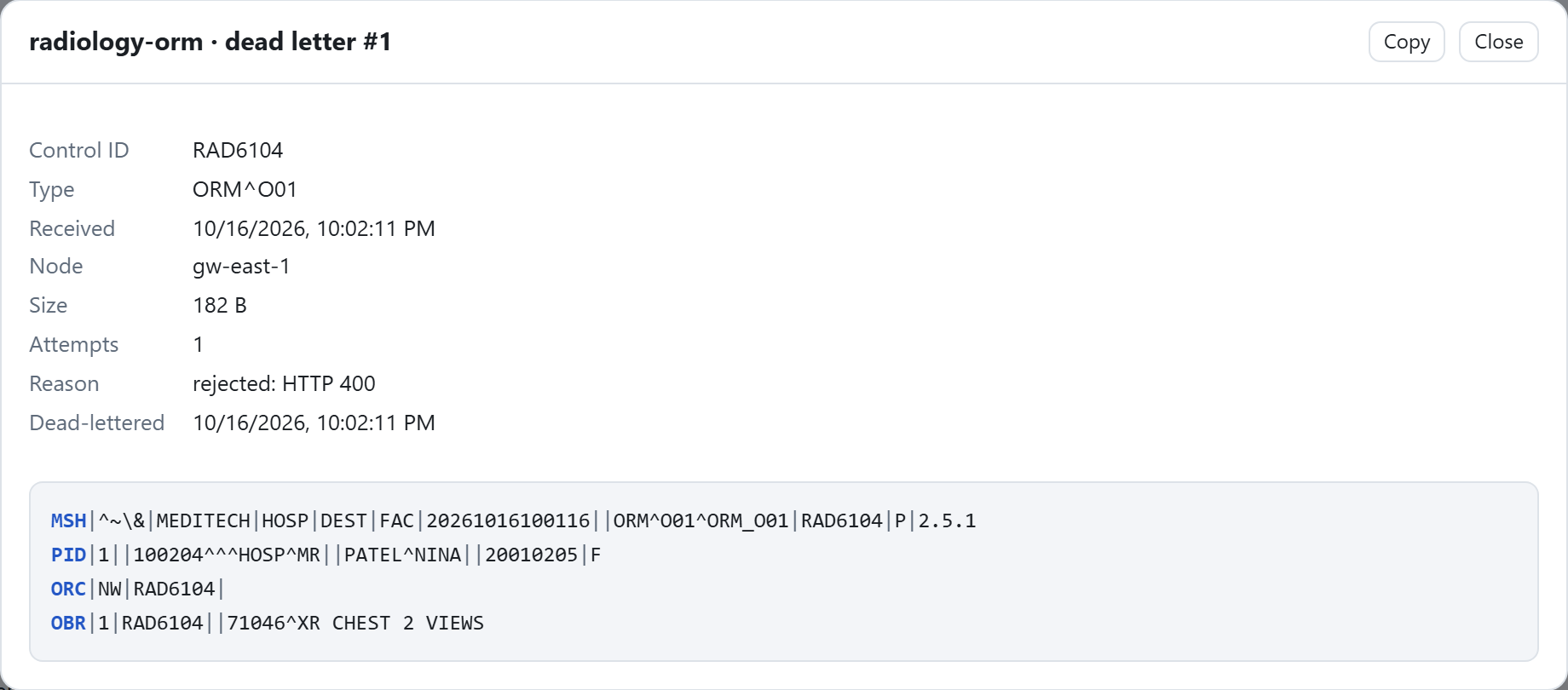
- Message contents: hidden unless
allow_payload_view = trueand the person has theview_payloadgrant. Each view is in the audit trail, because messages hold PHI. For a destination with a transform, the viewer also shows the message as sent to it. - Audit: for auditors and admins, the audit trail filtered by person, action, route and time, with CSV export. See Audit trail.
- Cluster: every node, its license, what it is delivering and when it was last seen.
Route states
| State | Meaning |
|---|---|
| idle | The queue is empty, or the next message is on its way. |
| delivering | A message is being sent to the destination now. |
| retrying ×N | The destination failed (unreachable, timeout, 408, 429, 5xx or AE). The head message waits for its next attempt; N is the attempts so far. |
| blocked | The destination rejected the head message and the route has on_reject = "block". Fix the destination and select Retry now, or move the message to dead letters. |
| paused | An operator paused delivery. Messages are still accepted and queued. |
| — | A pass-through route: nothing is queued, so there is no delivery state. |
Queues and dead letters
Select a route to open its queue. The first message is the one in flight; the rest wait behind it in order.
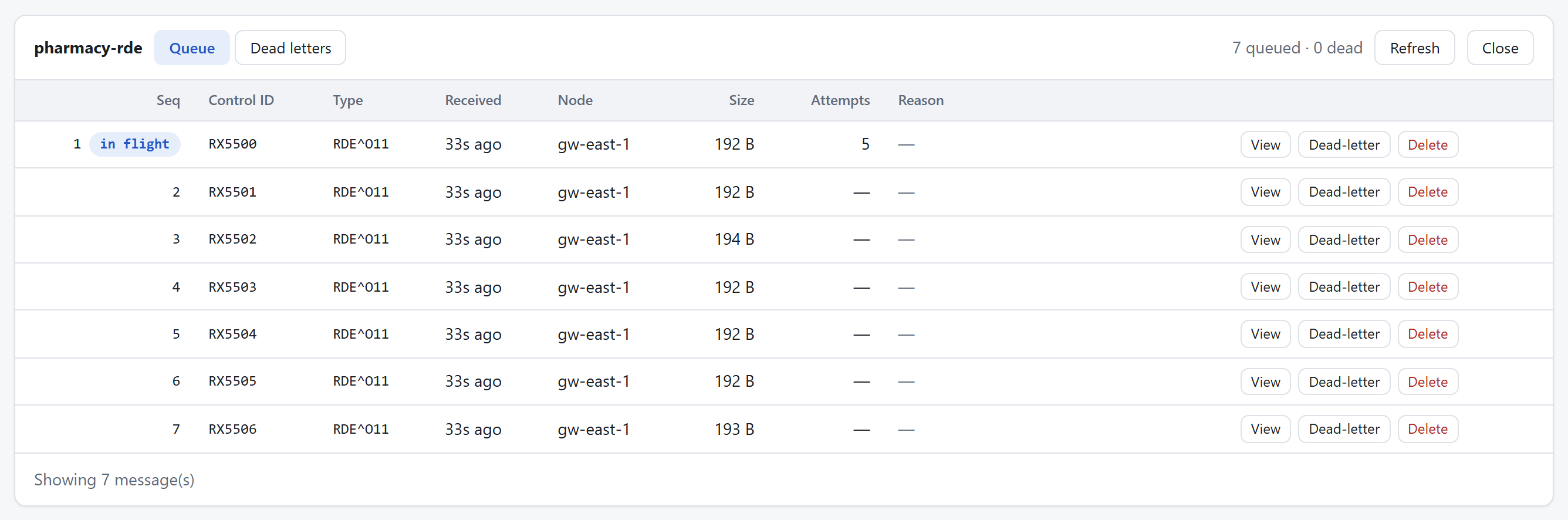
The Dead letters tab lists the messages the destination rejected or that ran out of attempts, with the reason. Requeue puts one back at the end of the queue once the cause is fixed. With allow_payload_view = true, View shows the message itself.
Monitoring endpoints
| Path | Use |
|---|---|
/health | The process is up. |
/ready | The node can take traffic: its store is reachable. Use it for load balancer health checks. |
/metrics | Prometheus metrics per route: received, delivered, rejected, queue depth and more. |
The Docker image's health check runs hl7-edge-gateway health, which asks the console for /health with the configuration the gateway runs with (HL7EDGE_CONFIG or HL7EDGE_CONFIG_TOML): over HTTPS when admin.tls is set, trusting only that certificate. Use the same command for any monitoring that runs a command.