
 Lambogenius
What it does
MEDITECH speaks HL7 v2 over MLLP; a FHIR server (Azure Health Data Services, the Google Cloud Healthcare API, or an EHR's FHIR API) wants FHIR R4. The route meditech-to-fhir has a FHIR destination, and each message becomes one FHIR transaction, made by the gateway's built-in templates. HAPI FHIR stands in for the server. You need the gateway image 0.7.0 or later.
| Message | Becomes |
|---|---|
| ADT^A01 admit | Patient, Encounter (in progress), RelatedPerson (NK1), AllergyIntolerance (AL1), Condition (DG1), Practitioner |
| ORM^O01 order | ServiceRequest |
| ORU^R01 results | DiagnosticReport, an Observation per OBX, Specimen; the order it fulfills |
| ORU^R01 corrected | the same DiagnosticReport and Observations, updated in place (corrected) |
| VXU^V04 | Immunization |
| ADT^A03 discharge | the same Encounter, now finished |
ADT^A04, PV1-2 = RCR | a second Encounter, AMB: MEDITECH's own code, from fhir/tables.toml |
Every message names the same patient, and the server ends up with one Patient: ADT keeps it up to date, and orders, results and immunizations only create it if it isn't there yet. Resource ids come from the message (the MRN, the visit number, the report and the test), so a resent or corrected message lands on the same resources instead of adding more.
The sample is in 14-meditech-to-fhir in the examples repository.
Diagrams

architecture.mmd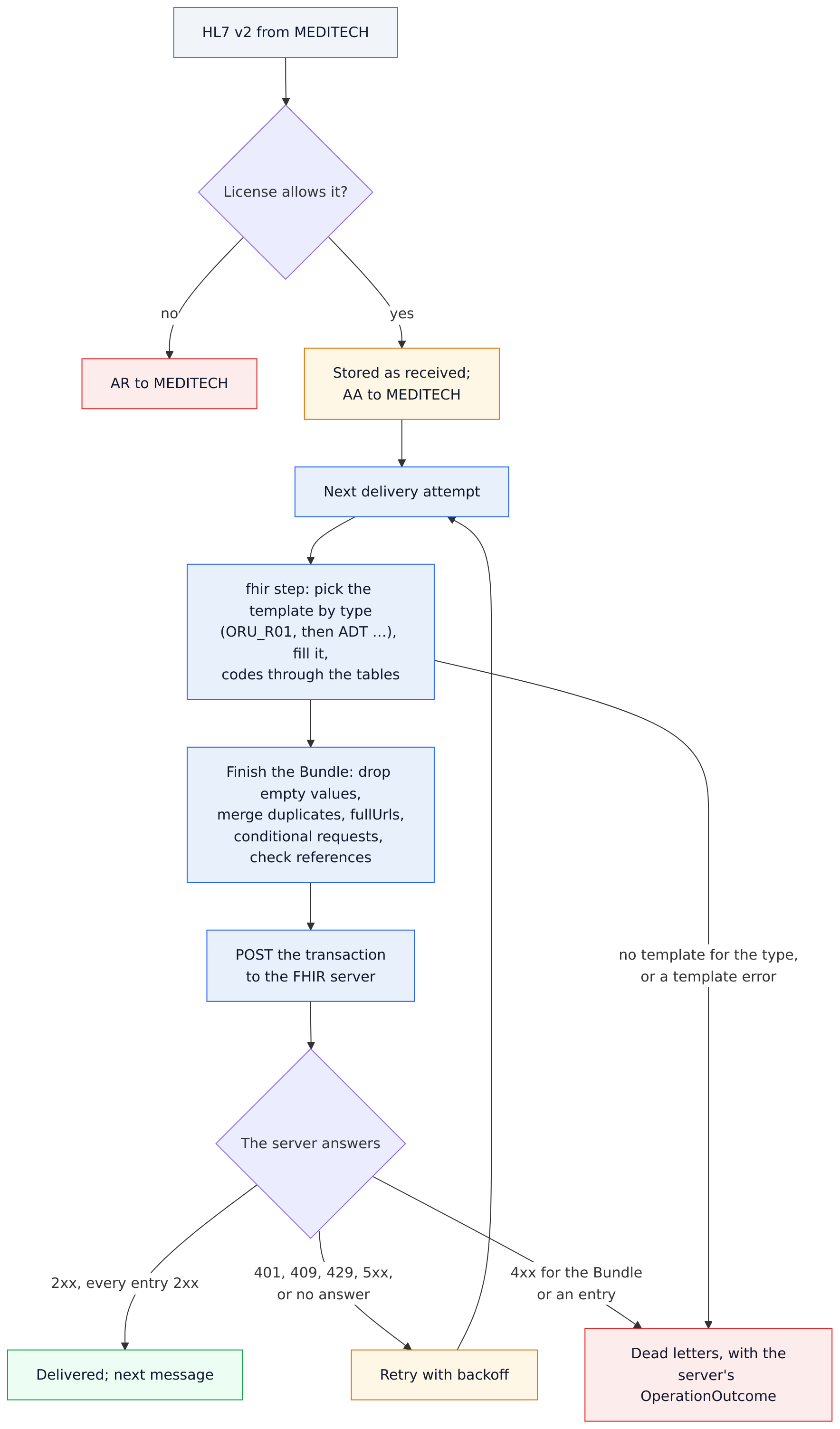
data-flow.mmd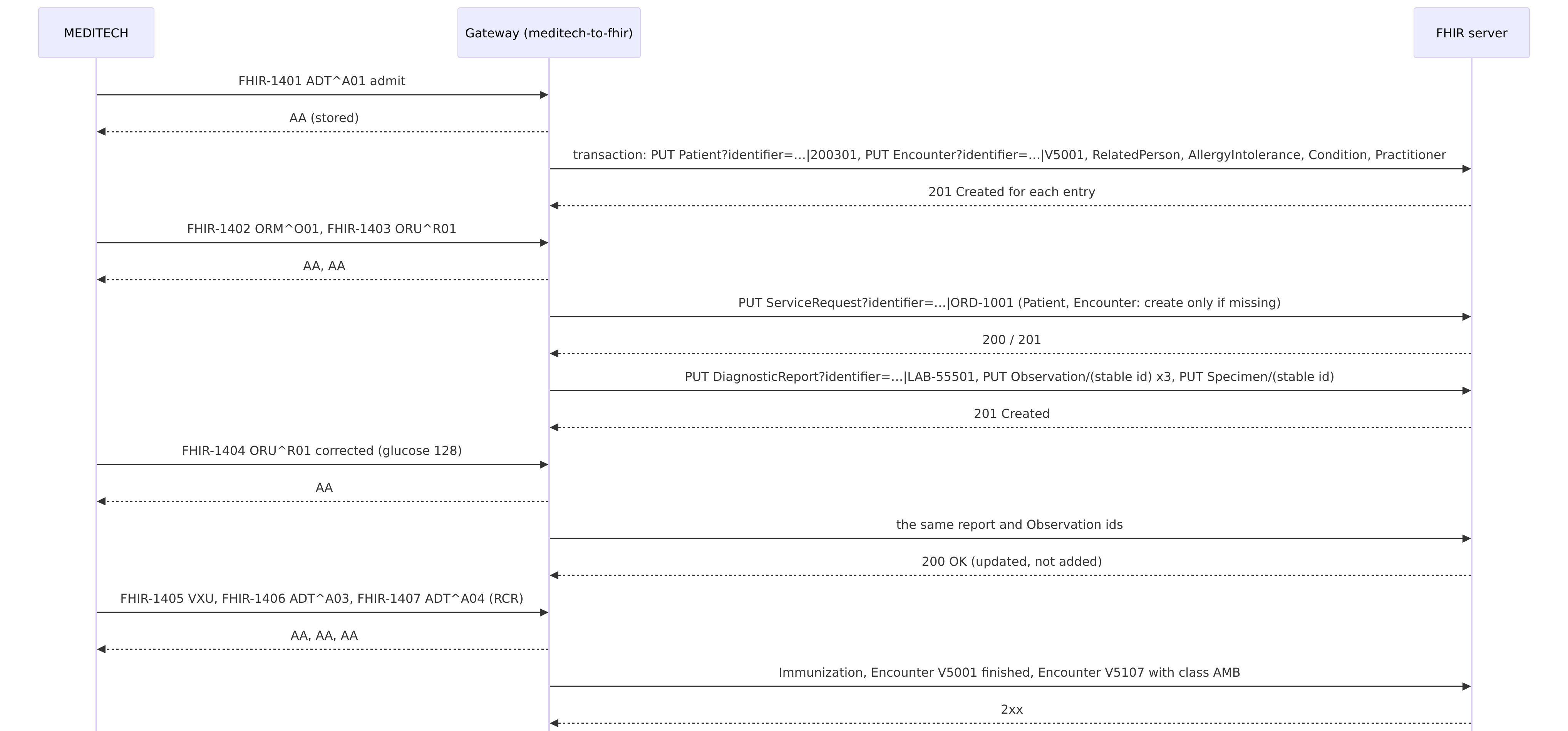
sequence.mmdThe configuration
14-meditech-to-fhir/gateway.toml — one route, MLLP in, a fhir destination with a fhir transform step
# Sample 14: MEDITECH's ADT, orders, results and immunizations into a FHIR R4 server (HL7 Edge Gateway 0.7+).
# Each message becomes one FHIR transaction Bundle, made by the gateway's built-in templates, with MEDITECH's own
# codes added in fhir/tables.toml. Secrets come from .env.

[admin]
listen = "0.0.0.0:8080"
token = "${HL7EDGE_ADMIN_TOKEN}"
allow_payload_view = true        # the console's message viewer, with "as received" and "as sent" (the Bundle)

[store]
backend = "embedded"
path = "/var/lib/hl7-edge-gateway"

[[route]]
name = "meditech-to-fhir"
mode = "store_and_forward"       # MEDITECH gets AA once a message is stored; the FHIR server can be down meanwhile
source = { type = "mllp", listen = "0.0.0.0:7890" }
store_and_forward = { on_reject = "dead_letter", retry = { initial = "1s", max = "30s" } }

[[route.destinations]]
name = "fhir"
type = "fhir"
base_url = "http://fhir-server:8080/fhir"
# On Azure Health Data Services: base_url = "https://<workspace>-<service>.fhir.azurehealthcareapis.com"
#                                auth = { type = "managed_identity" }
transform = { step = [ { fhir = {
  timezone = "America/Toronto",                                # MEDITECH sends local times; FHIR needs the offset
  templates = "fhir",                                          # fhir/tables.toml: MEDITECH's codes
  identifier_system_base = "https://general-hospital.example/id/",
} } ] }
14-meditech-to-fhir/fhir/tables.toml — MEDITECH's codes, added to the built-in code tables
# MEDITECH's codes, added to the gateway's built-in FHIR code tables: each entry here adds a code or changes one;
# the built-in entries you don't list stay. To see every built-in table and template, export them:
#   docker compose run --rm -v ./fhir-export:/export tool fhir-templates /export

# PV1-2, patient class → Encounter.class (v3 ActCode). MEDITECH adds RCR (recurring: dialysis, infusions) and SDC
# (same-day care) to HL7's I, O, E and so on.
[patient_class]
RCR = "AMB"
SDC = "AMB"

# MEDITECH's local lab codes (the third component of a coded field, such as OBX-3.3) → a FHIR system URI.
[coding_system]
MTLAB = "https://general-hospital.example/codes/meditech-lab"
14-meditech-to-fhir/compose.yaml — the gateway, HAPI FHIR, and the send and tool commands
# Sample 14: MEDITECH's HL7 v2 into a FHIR R4 server, as FHIR. HAPI FHIR stands in for Azure Health Data
# Services, Google Cloud Healthcare or your EHR's FHIR API.
#   docker compose up -d
#   docker compose run --rm send …        send HL7 files to the gateway over MLLP (as MEDITECH)
#   docker compose run --rm tool …        other gateway commands, such as transform, on this folder
name: hl7edge-sample-14

services:
  gateway:
    image: lambogenius/hl7-edge-gateway:${GATEWAY_VERSION:-0.7.0}
    env_file: .env
    ports:
      - "7890:7890"   # HL7 from MEDITECH (MLLP)
      - "8080:8080"   # admin console
    volumes:
      - ./gateway.toml:/etc/hl7-edge-gateway/hl7-edge-gateway.toml:ro
      - ./fhir:/etc/hl7-edge-gateway/fhir:ro
      - queue:/var/lib/hl7-edge-gateway
    depends_on: [fhir-server]

  # The FHIR R4 server. Its web UI is at http://localhost:8090, its API at http://localhost:8090/fhir.
  fhir-server:
    image: hapiproject/hapi:v8.12.0-2
    ports: ["8090:8080"]

  # Tools, not started by `up`.
  send:
    image: lambogenius/hl7-edge-gateway:${GATEWAY_VERSION:-0.7.0}
    entrypoint: ["hl7-edge-gateway", "send"]
    volumes: ["./messages:/messages:ro"]
    profiles: ["tools"]
  tool:
    image: lambogenius/hl7-edge-gateway:${GATEWAY_VERSION:-0.7.0}
    entrypoint: ["hl7-edge-gateway"]
    env_file: .env
    working_dir: /sample
    volumes: [".:/sample:ro", "./messages:/messages:ro"]
    profiles: ["tools"]

volumes:
  queue:
Step by step
- 1Start it.
cd 14-meditech-to-fhir
cp .env.example .env            # add your license
docker compose up -d            # HAPI FHIR takes about a minute to start the first time
The messages are test messages (MSH-11 =
T), so the free Developer license works. HAPI FHIR's own pages are athttp://localhost:8090. - 2MEDITECH admits a patient.
docker compose run --rm send --to gateway:7890 /messages/1-adt-a01-admit.hl7
curl "http://localhost:8090/fhir/Patient?identifier=https://general-hospital.example/id/GENERAL_HOSPITAL|200301"
curl "http://localhost:8090/fhir/Encounter?identifier=https://general-hospital.example/id/GENERAL_HOSPITAL|V5001"
The server has the Patient (OKAFOR, female, born 1985-03-14, with the MRN and the health card number as identifiers), an
in-progressinpatient Encounter that started at2026-10-21T08:25:00-04:00, the spouse, the penicillin allergy, the pneumonia diagnosis and the attending doctor. MEDITECH sends local times; the step'stimezoneadds the offset ofAmerica/Torontoon that date.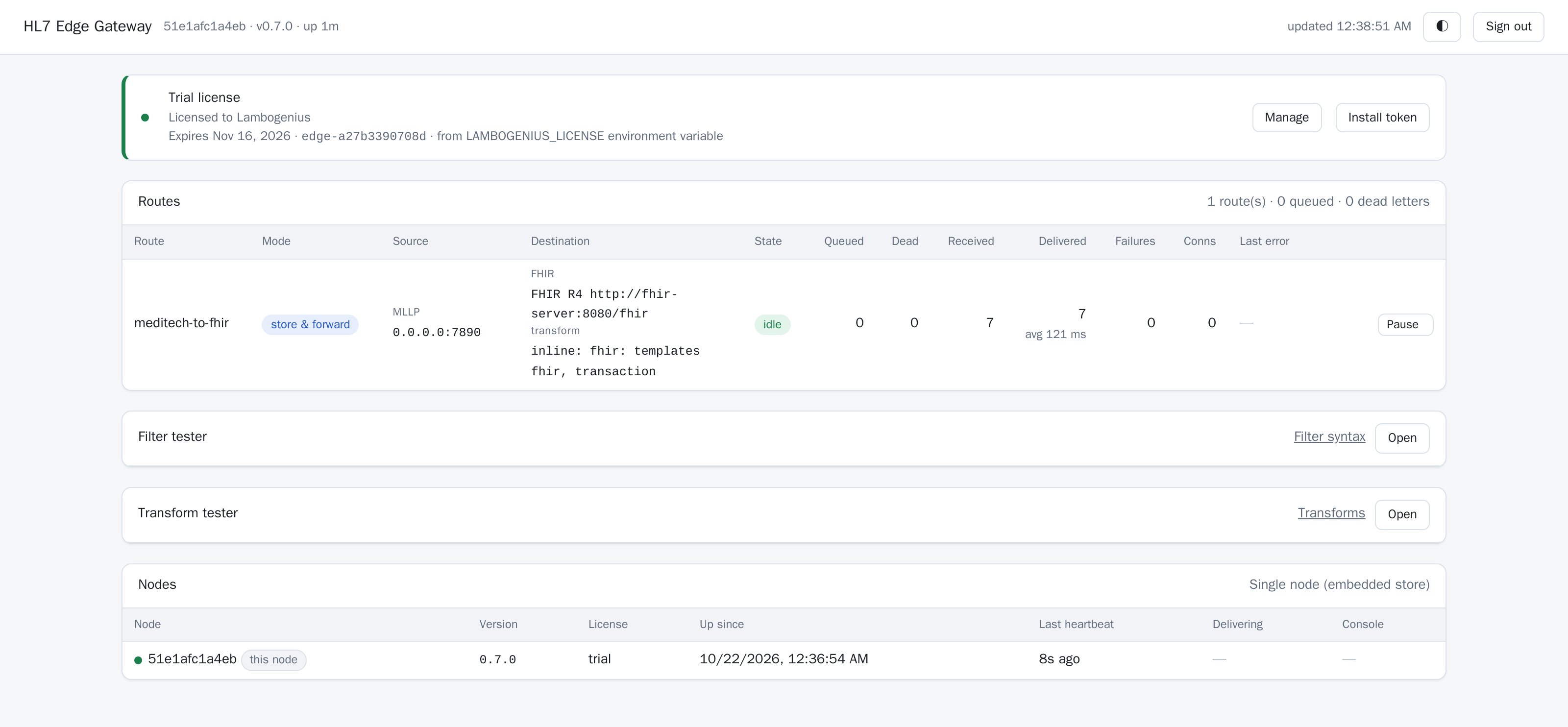
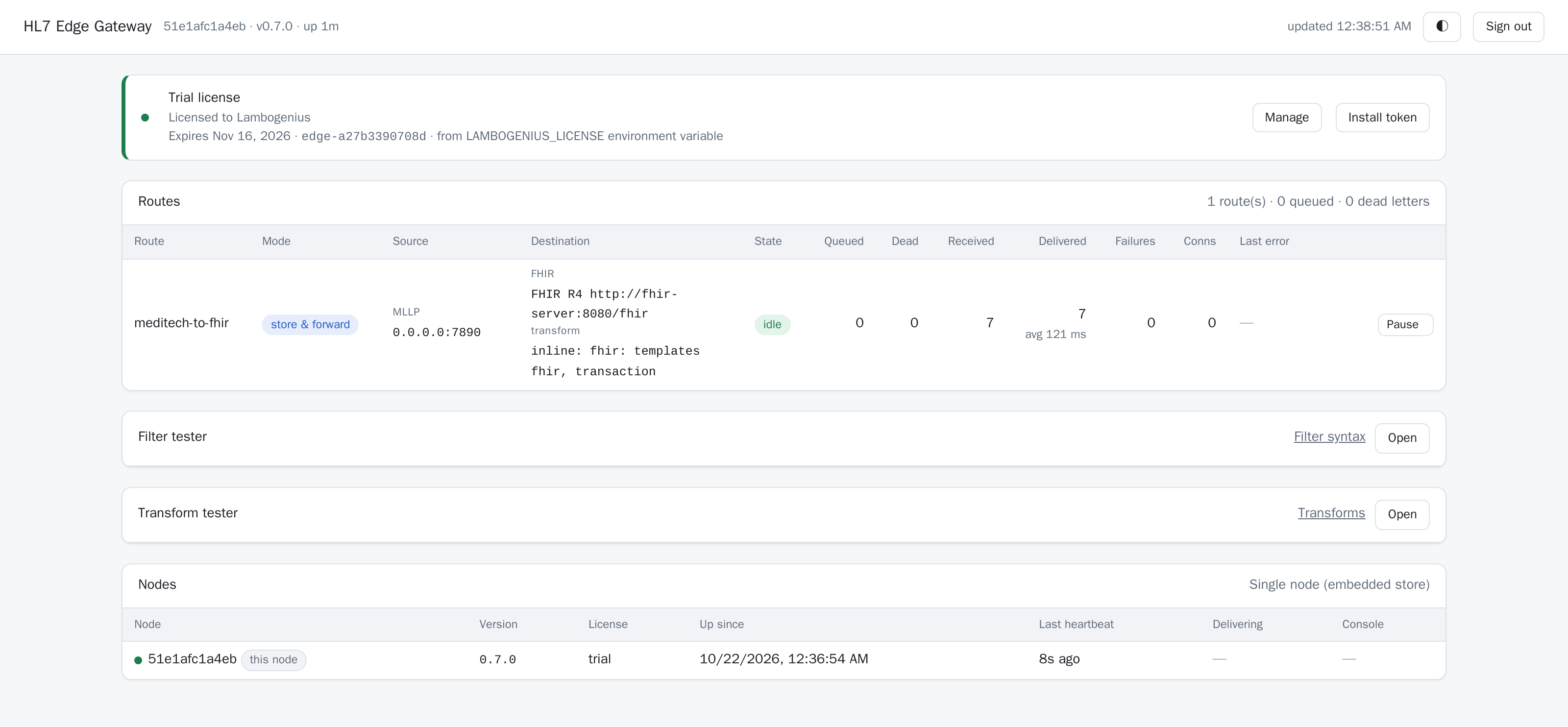
The console after every step: the FHIR server, the transform, and seven messages delivered. - 3An order, then results.
docker compose run --rm send --to gateway:7890 /messages/2-orm-o01-order.hl7 /messages/3-oru-r01-results.hl7
curl "http://localhost:8090/fhir/Observation?code=http://loinc.org|2345-7"
One ServiceRequest (ORD-1001), a
finalDiagnosticReport found by the lab's accession number, three Observations (glucose 182 mg/dL, flagged high, with the lab's note), and the blood specimen. Still one Patient. - 4The lab corrects the glucose.
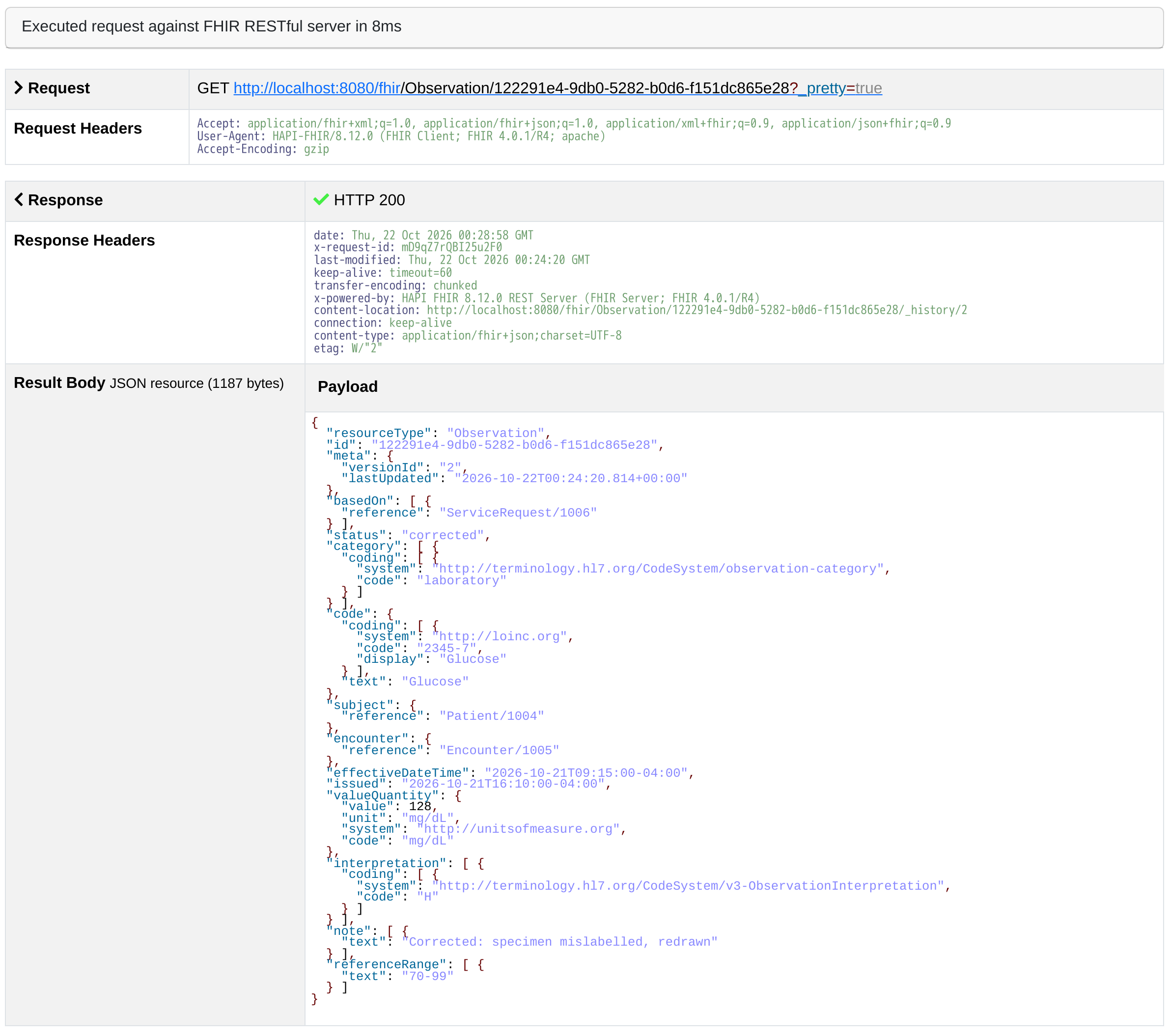
docker compose run --rm send --to gateway:7890 /messages/4-oru-r01-corrected.hl7The same report again, with OBX-11 =
Cand a new value. Still three Observations: the glucose is now 128 mg/dL andcorrected(version 2 of the same resource), and so is the report.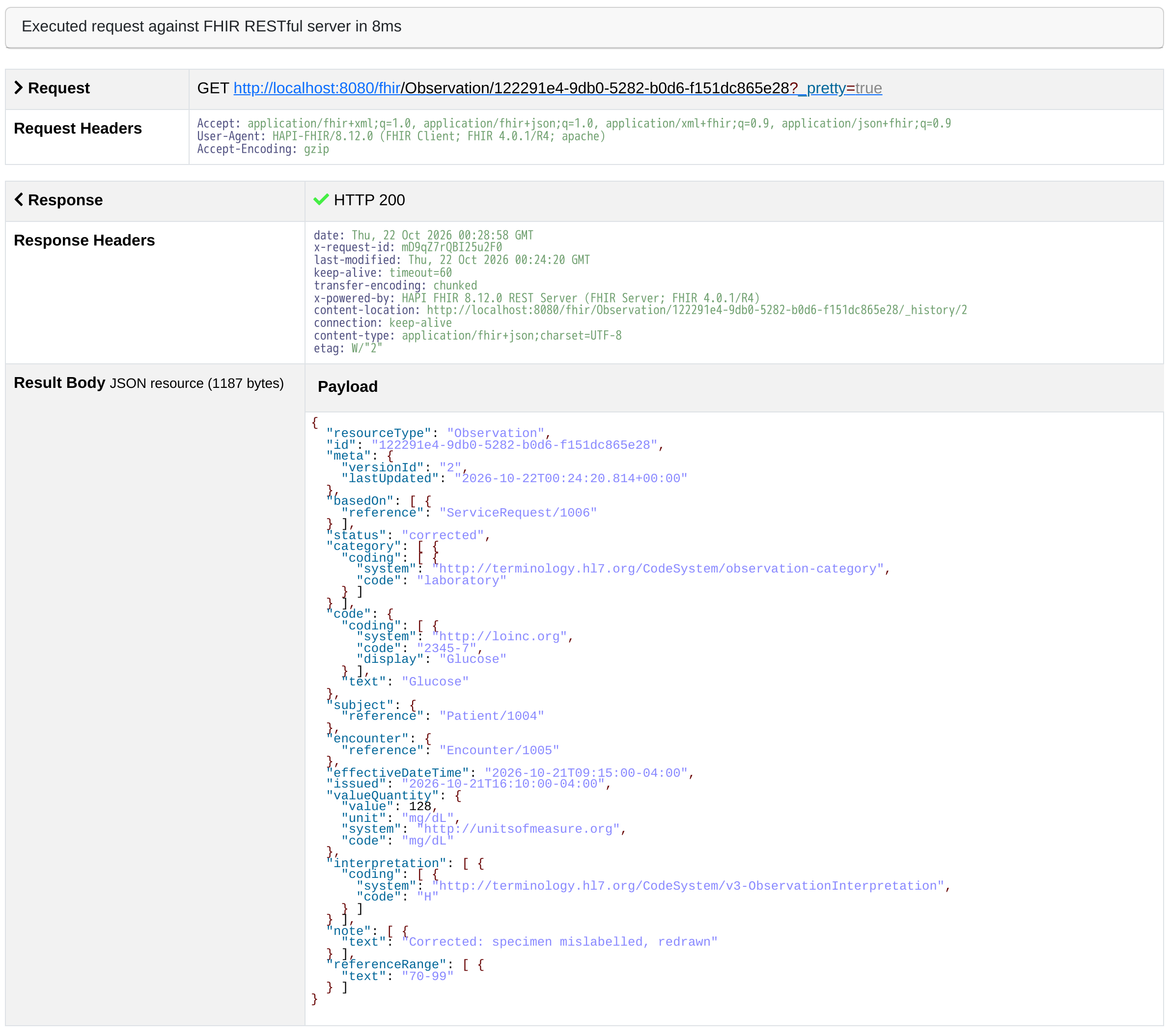
The glucose Observation in HAPI FHIR: the correction updated it in place. - 5A flu shot, the discharge, a recurring visit.
docker compose run --rm send --to gateway:7890 /messages/5-vxu-v04-flu-shot.hl7 /messages/6-adt-a03-discharge.hl7 /messages/7-adt-a04-recurring.hl7An Immunization (
completed, lot FL4417, left deltoid); the visit V5001finishedat 10:45 on October 23; and a dialysis visit V5107 whose class isAMB. MEDITECH sentRCRin PV1-2, a code HL7's table doesn't have;fhir/tables.tomladds it, and the built-in entries it doesn't list stay. - 6See the Bundle a message makes, without sending it.
docker compose run --rm tool transform -c /sample/gateway.toml --destination fhir /messages/5-vxu-v04-flu-shot.hl7
transform OK: inline: fhir: templates fhir, transaction

/messages/5-vxu-v04-flu-shot.hl7  FHIR-1405 VXU^V04
{
  "resourceType": "Bundle",
  "type": "transaction",
  "entry": [
    {
      "fullUrl": "urn:uuid:f9ab6e06-3d65-53bd-b6e0-4155060febb6",
      "resource": {
        "resourceType": "Patient",
        "identifier": [ … "system": "https://general-hospital.example/id/GENERAL_HOSPITAL", "value": "200301" … ],
        …
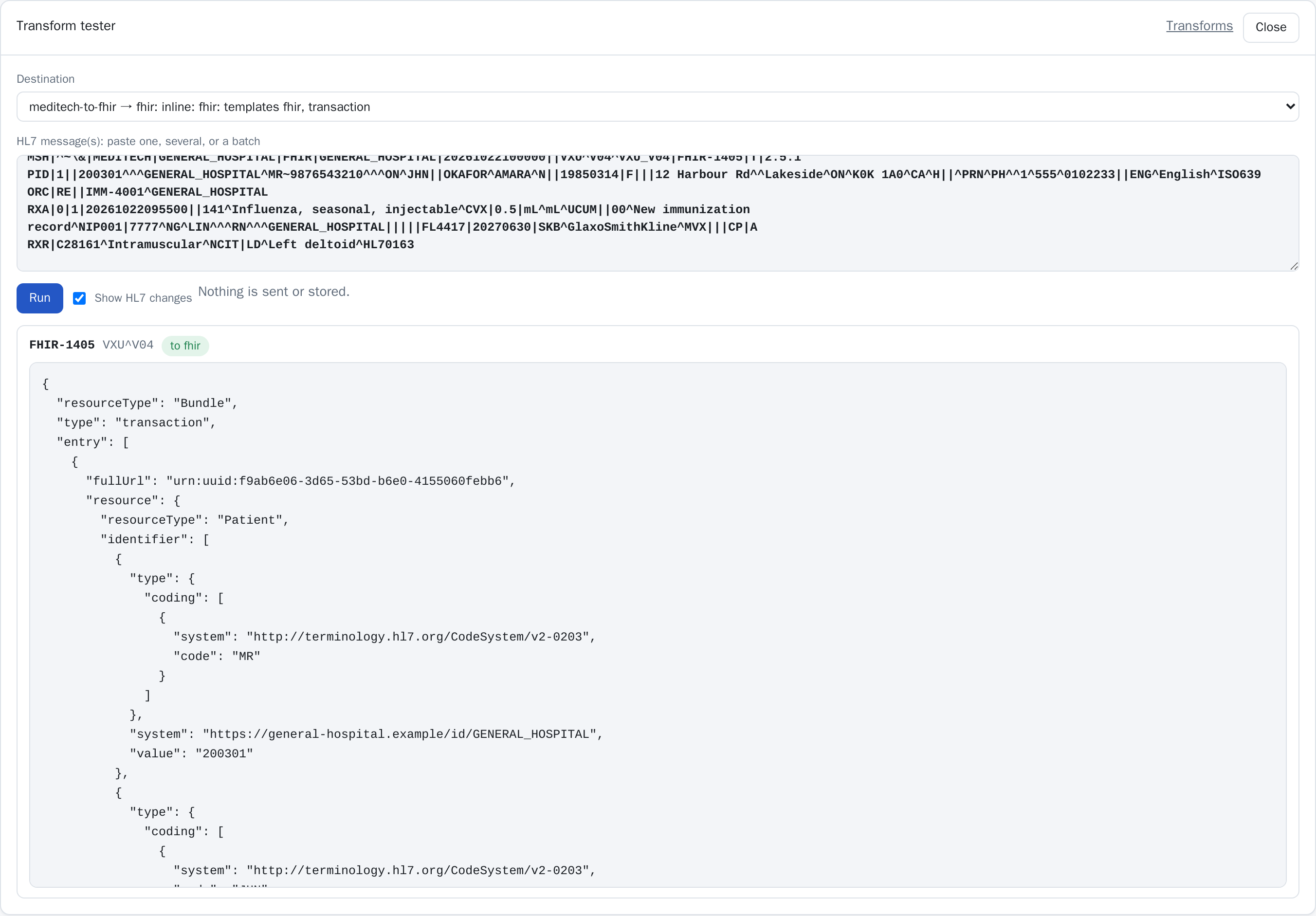
The console's Transform tester does the same for pasted messages:
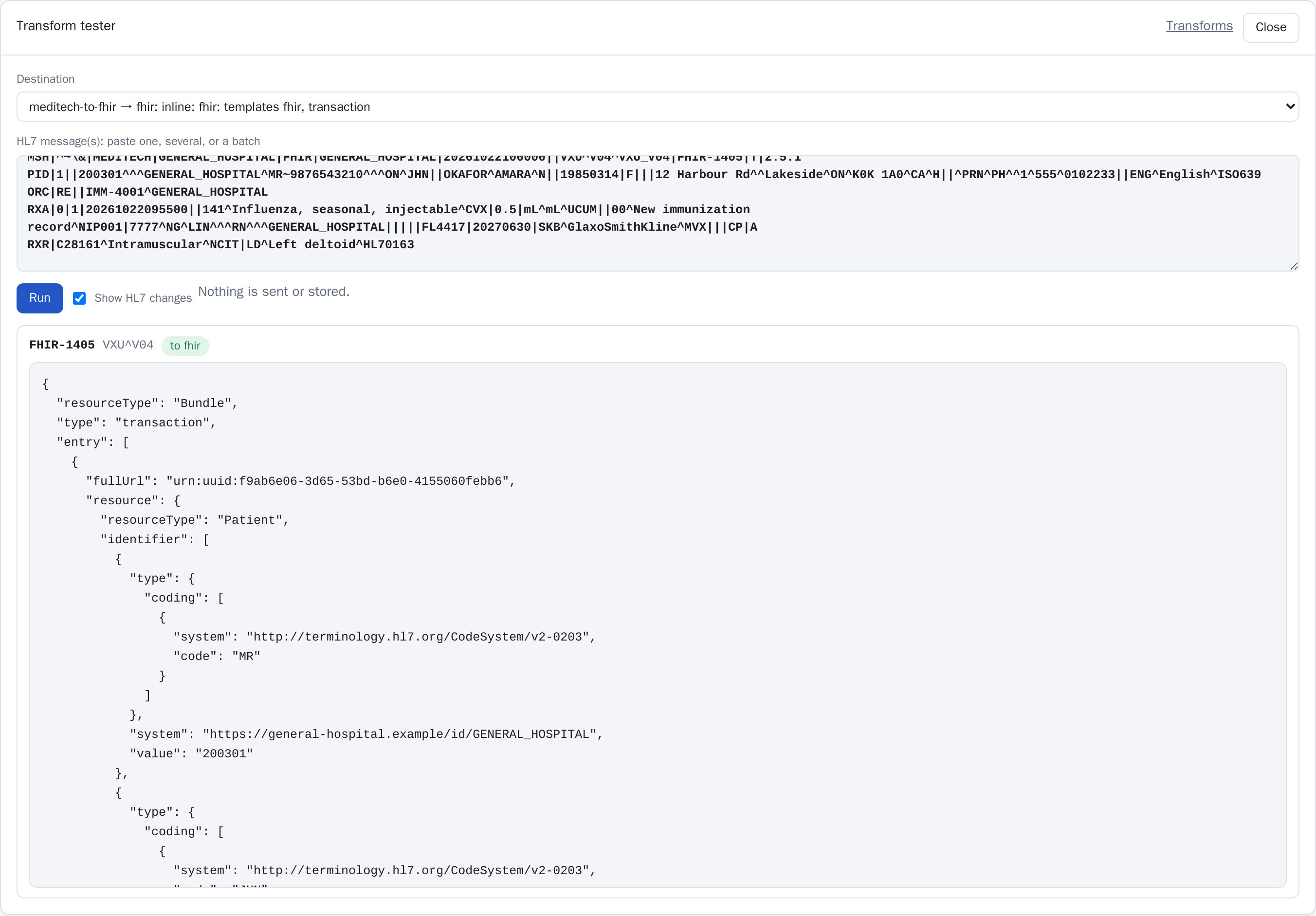
The Transform tester: nothing is sent or stored. - 7Change more than codes.
Export the built-in templates and tables, copy the ones you want to change into
fhir/, and edit them; the rest stay built in:docker compose run --rm -v ./fhir-export:/export tool fhir-templates /export 28 files written to /export
If the FHIR server refuses an entry (a 4xx, such as a code it doesn't accept), the message goes to the route's dead letters with the server's reason, and MEDITECH's feed keeps flowing. If the server is down or busy (5xx, 429, no answer), the gateway keeps the message and retries, in order.
To use your own server, change base_url and add auth: { type = "managed_identity" } on Azure, { type = "google" } on Google Cloud, or OAuth2 client credentials. Set identifier_system_base to your organization's namespace.
Or run every step with ./demo.sh (Linux, macOS, Git Bash) or ./demo.ps1 (PowerShell). Clean up with docker compose down -v. More in HL7 v2 to FHIR.